In the world of industrial automation, uptime is everything. An idle robotic cell is a drain on productivity and profitability. While modern industrial robots are built for durability, they are not immune to wear and tear. A proactive, well-structured preventive maintenance (PM) program is the single most effective strategy to maximize the lifespan of your automation investment, ensure operational safety, and prevent unexpected failures. This guide will walk you through essential maintenance tips for a typical robotic workcell, focusing on the robot arm, its safety systems, and its critical connections.
The Heart of the Cell: Robot Arm Maintenance
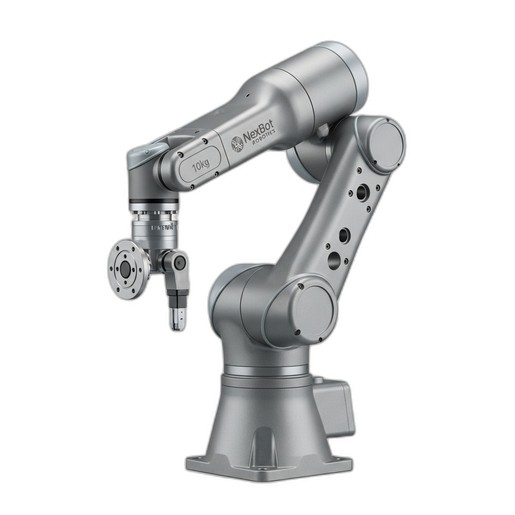
Your robot arm is the primary workhorse of the application. For a versatile unit like the NexBot Safety SA011-008 6-Axis Robot Arm, which handles tasks from machine tending to precision assembly, consistent performance is paramount. Regular inspection is the foundation of its maintenance.
Visual Inspections (Daily/Weekly):
- Cabling: Check all external cables for signs of fraying, pinching, or abrasion. Ensure they are properly routed and secured, without excessive tension as the arm moves through its full range of motion.
- Hardware: Look for loose bolts or fasteners, particularly at the robot base and the end-of-arm tooling (EOAT) mount. Vibrations during high-speed operation can cause hardware to loosen over time.
- Physical Damage: Inspect the arm for any dents, cracks, or other signs of impact that could compromise its structural integrity.
Functional Checks (Weekly/Monthly):
- Listen for Irregularities: During operation, listen for any unusual noises like grinding, clicking, or whining from the joints. These can be early indicators of gear wear or bearing issues.
- Repeatability Test: Run a simple program that moves the arm to several pre-defined points. Check if the arm consistently returns to the exact same positions. Any deviation could signal a need for recalibration or a deeper mechanical inspection.
- Lubrication: Refer to the manufacturer's manual for specific lubrication points and intervals. Check for any signs of grease or oil leakage around the joint seals, which could indicate a failing seal.
Safety First: Maintaining Collision Sensors
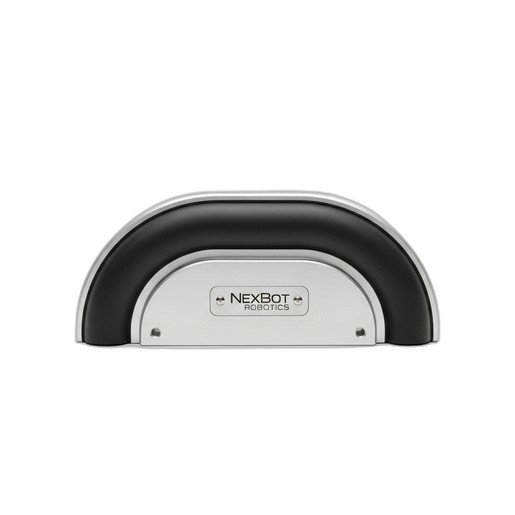
Safety systems are non-negotiable components of any robotic cell. A collision sensor, such as the NexBot Drives 632-006 Collision Sensor Bumper, is a crucial layer of protection for both equipment and personnel. It's designed to stop the robot upon physical contact, preventing severe damage. However, it's only effective if it's properly maintained.
Physical Integrity Checks (Weekly):
- Bumper Surface: Inspect the bumper's outer material for tears, cracks, or excessive wear. A compromised surface may not distribute impact forces correctly or could allow contaminants to reach the internal sensing elements.
- Mounting: Ensure the sensor is securely mounted to the robot or EOAT. A loose sensor can cause false trips or fail to register a legitimate impact.
Functional Testing (Monthly):
- Manual Trigger Test: With the system in a safe state (e.g., teach mode at low speed), gently press the bumper to simulate a collision. The robot should immediately stop and register a fault. This confirms the entire safety circuit, from the sensor to the controller, is functioning correctly.
- Diagnostic Data: The NXB-SNS-632-006 utilizes the IO-Link protocol, which provides valuable diagnostic data beyond a simple on/off signal. Periodically check the sensor's status through your control system. IO-Link can report on the health of the sensor itself, helping you move from preventive to predictive maintenance.
The Unsung Hero: Connector and Cable Integrity
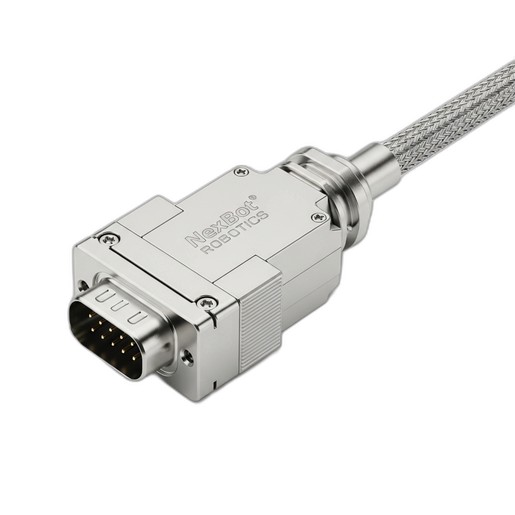
An industrial robot is a complex network of power and data signals. The reliability of this network depends entirely on its connections. A high-quality connector like the NexBot Robotics 532-005 Rectangular Connector is designed for harsh environments with its IP67 rating, but it still requires periodic inspection to guarantee flawless performance.
Inspection Checklist (Monthly/Quarterly):
- Secure Connection: Gently check if the connector is fully seated and latched. Vibrations can sometimes cause connectors to work themselves loose, leading to intermittent signal loss that is notoriously difficult to troubleshoot.
- Pin Inspection: When the system is powered down and locked out, disconnect the connector. Visually inspect the pins for any signs of corrosion, bending, or debris. A single bent pin can disrupt communication protocols like PROFINET or EtherCAT, causing the entire system to halt.
- Seal Integrity: For connectors with an IP rating, like the IP67-rated NXB-CBL-532-005, check the integrity of the gasket or seal. A damaged seal can allow moisture or dust to ingress, leading to short circuits and long-term corrosion.
- Cable Strain Relief: Ensure the cable's strain relief is properly engaged. This prevents forces on the cable from being transferred directly to the pins and termination points inside the connector, which is a common point of failure.
Building Your PM Schedule
A structured checklist is the best way to ensure consistency. A simple schedule might look like this:
- Daily: Quick visual check of the workcell for obvious damage, leaks, or loose cables.
- Weekly: More detailed visual inspection of the robot arm, sensors, and connectors. Listen for unusual sounds during operation.
- Monthly: Perform functional tests on safety sensors. Check connector security. Review error logs in the robot controller.
- Annually (or per manufacturer recommendation): Major service including lubrication, battery replacement for encoders, and in-depth mechanical and electrical inspections.
By investing a small amount of time in regular preventive maintenance, you are not just servicing components; you are safeguarding your production schedule, protecting your personnel, and ensuring your NexBot Robotics equipment delivers the performance and reliability you depend on for years to come.