In the world of industrial automation, uptime is paramount. Every minute a robotic cell is offline represents lost productivity and revenue. While modern robotic systems are built for durability, they are not immune to wear and tear. A proactive, component-level preventive maintenance strategy is the key to maximizing the lifespan of your automation investment, ensuring operational consistency, and upholding the highest safety standards.
Ignoring routine checks can lead to cascading failures, where a single worn-out component causes significant damage to the entire system. This guide provides a practical checklist for maintaining three critical areas of any robotic cell: the motion controller, the end-of-arm tooling (EOAT), and the safety systems.
Maintaining the Brain: The Motion Controller
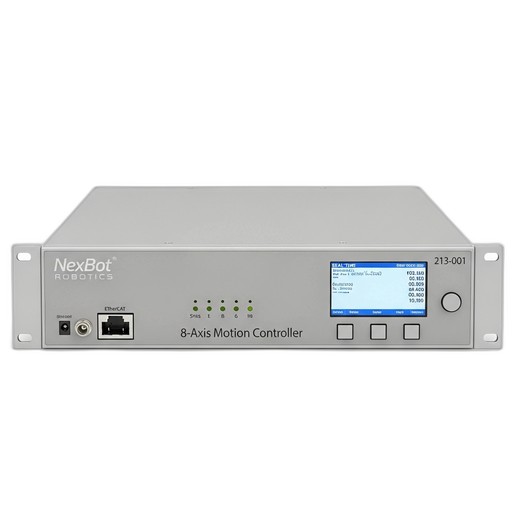
The motion controller is the central nervous system of your robot, orchestrating every precise movement. A failure here can bring your entire operation to a halt. For high-performance controllers like the NexBot Robotics 213-001 8-Axis Motion Controller, which relies on real-time communication, ensuring its health is non-negotiable.
Maintenance Checklist:
- Inspect Cabling and Connections: Regularly check all connections to the controller, especially high-speed communication links like EtherCAT. Look for loose plugs, frayed wires, or signs of strain. A secure connection is vital for the synchronized, multi-axis control these systems provide.
- Ensure Proper Ventilation: Motion controllers generate heat. Verify that cooling fans are operational and that ventilation paths are clear of dust and debris. Overheating can lead to erratic performance and premature component failure.
- Monitor Power Supply: These controllers typically operate on 24VDC. Use a multimeter to periodically check that the power supply unit (PSU) is providing a stable and clean voltage. Fluctuations can cause unpredictable behavior and damage sensitive electronics.
- Review System Logs: Most modern controllers log errors and warnings. Make it a weekly habit to review these logs for recurring issues that might indicate an impending problem. Early detection is key.
- Backup Configuration Files: Always maintain a recent backup of your robot's program and controller configuration. This can save hours of reprogramming in the event of a critical failure.
The Hands-On Approach: End-of-Arm Tooling (EOAT) Care
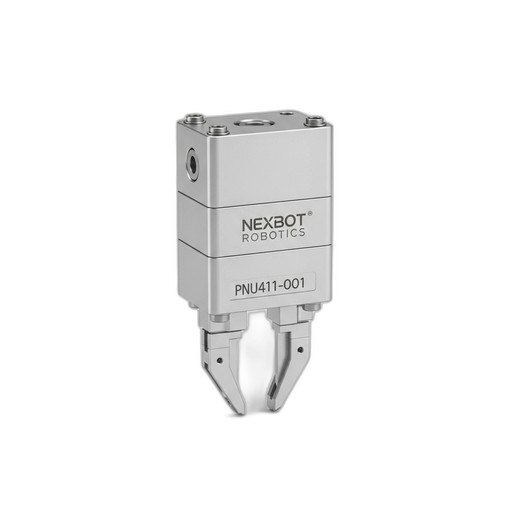
The EOAT is where the robot interacts with your product. It's often the most physically stressed component in the system. For a pneumatic tool like the NexBot Robotics PNU411-001 Pneumatic Gripper, maintenance focuses on both the pneumatic supply and the mechanical assembly.
Maintenance Checklist:
- Check Air Lines and Fittings: Inspect all pneumatic hoses for cracks, abrasions, or kinks. Check fittings for leaks using a soap-and-water solution; bubbles will indicate a leak that can reduce gripping force and waste compressed air.
- Clean Mechanical Components: The moving parts of a gripper can accumulate dust and grime, which can impede movement and affect precision. Regularly wipe down the gripper body and fingers, ensuring smooth actuation.
- Inspect Gripper Jaws/Fingers: The jaws are the primary wear item. Check them for signs of damage or wear that could compromise their grip on a part. For tasks requiring high precision, verify that wear hasn't affected the gripper's repeatability (e.g., maintaining the specified ±0.02 mm).
- Verify Gripping Force: If your system allows, periodically test the gripper's force to ensure it's within specification. A drop in force could indicate an air leak or internal seal wear. For a gripper rated at 180 N, a significant deviation warrants a closer look.
- Listen for Irregular Noises: Unusual hissing (leaks) or grinding sounds during operation can be early indicators of a mechanical or pneumatic issue.
Upholding Safety: The Guardian of the Cell
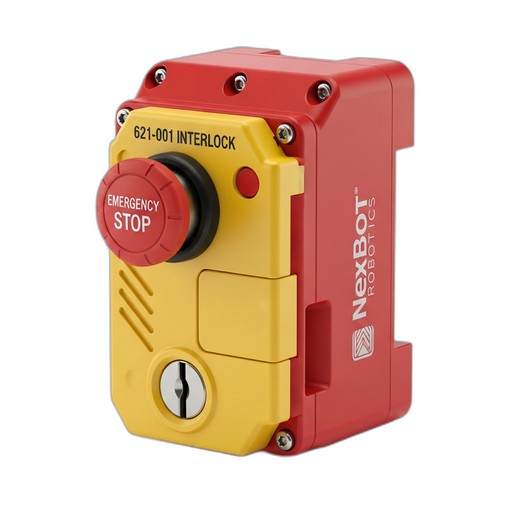
Safety systems are your first and most important line of defense against accidents. They must be treated as critical components that require zero-tolerance for failure. A safety device like the NexBot Robotics 621-001 Door Interlock is designed to be robust, but it still requires regular verification.
Maintenance Checklist:
- Perform Regular Functional Tests: At the start of each shift or at least daily, test the interlock's functionality. Open the guard door while the system is in a safe state and ensure the robot cannot be started. Attempting to start the cycle should result in a fault.
- Inspect for Physical Damage: Check the interlock's housing and actuator for cracks, signs of impact, or tampering. The physical integrity is essential for maintaining its robust 1500N holding force.
- Check for Proper Alignment: Misaligned guard doors can put undue stress on the interlock mechanism, potentially leading to premature failure. Ensure the door closes smoothly and the interlock engages without needing excessive force.
- Verify Seal Integrity: For components with an IP67 rating like the 621-001, the seal is critical for protection against dust and water ingress. Visually inspect the seals and gaskets to ensure they are intact, especially in washdown or dusty environments.
By integrating these simple, regular checks into your operational schedule, you can move from a reactive to a proactive maintenance culture. This not only prevents costly, unplanned downtime but also extends the life of your valuable automation assets and, most importantly, ensures a safe working environment for your team.