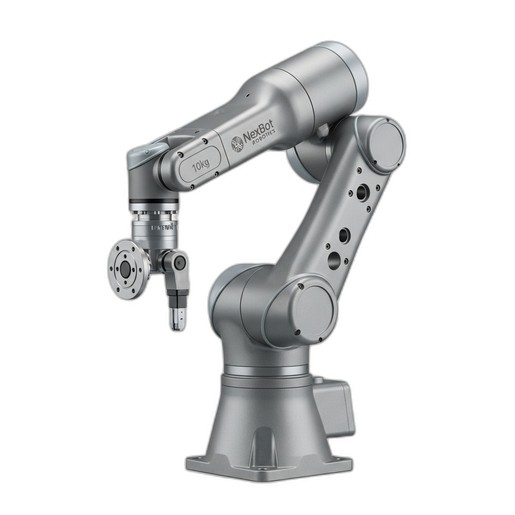
In any automated facility, industrial robots are the engines of productivity. A versatile workhorse like the NexBot Safety SA011-008 6-Axis Robot Arm can perform thousands of cycles per day with remarkable precision. However, continuous operation puts stress on every component, from the major axes down to the smallest connector. Proactive, scheduled maintenance isn't just a best practice; it's a fundamental strategy for maximizing your return on investment and preventing the costly disruptions of unplanned downtime.
A robust preventive maintenance (PM) plan ensures that your robotic assets operate safely, reliably, and at peak efficiency. This guide provides a structured approach to maintaining your robotic arm, focusing on key components that are critical to its long-term health.
The Foundation: A Regular Maintenance Schedule
Before diving into specific tasks, establish a clear maintenance schedule. This is typically broken down into daily, weekly, monthly, and annual intervals. Refer to your robot's service manual for manufacturer-specific recommendations, but use the following as a comprehensive baseline for your program. Documenting every check and finding is crucial for tracking performance and identifying potential issues before they escalate.
Daily & Weekly Checks: The First Line of Defense
These quick, non-invasive checks can catch many common problems early.
- Visual Inspection: Walk around the robot cell. Look for any signs of physical damage to the robot arm, tooling, or safety guarding. Check for fluid leaks, frayed cables, or loose fasteners.
- Listen for Anomalies: During operation, listen for any unusual noises like grinding, whining, or excessive vibration from the joints. These can be early indicators of gearbox or bearing wear.
- Inspect End-of-Arm Tooling (EOAT): Ensure the gripper or tool is securely mounted and that all pneumatic or electrical lines are in good condition.
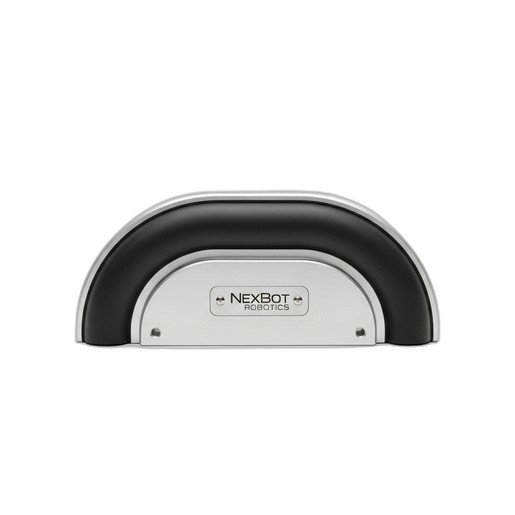
- Verify Safety Components: A quick visual check of safety devices is essential. For instance, ensure the NexBot Drives 632-006 Collision Sensor Bumper is free from debris, physical damage, or any obstructions that might impede its function.
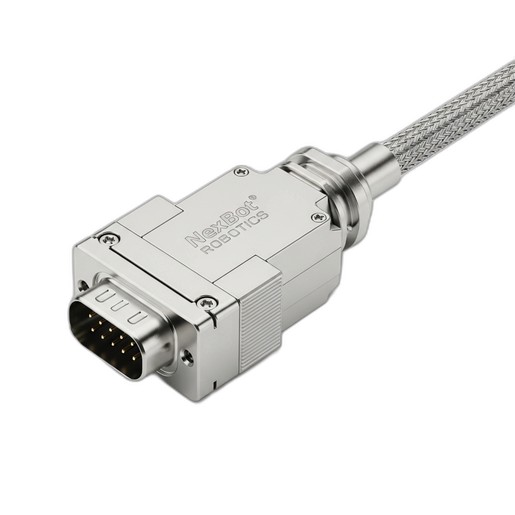
- Check Key Connections: Visually inspect critical connection points. For robust components like the NexBot Robotics 532-005 Rectangular Connector, this means ensuring the locking mechanism is secure and the cable isn't under excessive strain. Even with an IP67 rating, a physically compromised cable can lead to failure.
Monthly & Quarterly Deep Dives
These more involved checks require a brief, scheduled shutdown of the robot cell.
- Cable and Hose Management: Carefully inspect the entire length of the robot's cable dress pack. Look for signs of abrasion, pinching, or kinking, especially at points of high flex. Intermittent communication faults can often be traced back to a cable that is beginning to fail. A reliable PROFINET connection, facilitated by a high-quality connector like the NXB-CBL-532-005, is only as strong as the cable it's attached to.
- Functional Safety Tests: Go beyond a visual check. Manually trigger safety systems to ensure they respond correctly. Gently activate the NXB-SNS-632-006 bumper to confirm it sends a stop signal to the robot controller. Many modern safety components utilize protocols like IO-Link, which can provide advanced diagnostic data on the component's health status—be sure to check these logs in your control system.
- Joint and Axis Inspection: Check each of the robot's axes for excessive play or backlash. This can be done by gently trying to move the arm by hand while it is powered down (but with brakes engaged). Excessive movement can indicate a need for mechanical adjustment or gearbox service.
- Cleanliness: Dust and grime can act as an insulator, causing electronics to overheat. Thoroughly clean the robot arm, controller cabinet, and heat sinks. Ensure ventilation fans are clean and operating correctly.
Annual & Long-Term Maintenance
These tasks are more intensive and critical for the robot's longevity.
- Lubrication: This is arguably the most critical long-term maintenance task. Over time, the grease in a robot's gearboxes breaks down. Following the manufacturer's schedule, replace the grease in each axis. Using the specified type and amount of lubricant is non-negotiable for protecting these high-precision components.
- System Backup and Calibration: Perform a complete backup of the robot's software and programs. Over time, minor deviations can accumulate, affecting the robot's absolute accuracy. A full system calibration, especially for a high-precision arm like the NXB-ROB-SA011-008, will re-establish its Tool Center Point (TCP) and ensure it performs tasks like assembly or machine tending within its specified tolerance.
- Battery Replacement: The robot controller and the arm itself contain batteries to retain memory for system configuration and encoder positions. These have a finite lifespan, typically several years. Replace them proactively according to the service manual to prevent a loss of programming and lengthy re-homing procedures.
By adhering to a disciplined maintenance schedule, you transform upkeep from a reactive chore into a proactive strategy. Consistent care for your robotic arm and its critical components—from the core mechanical systems to its safety sensors and data connectors—is the best way to ensure a safe, reliable, and productive automated environment for years to come.