Introduction: The Foundation of Robotic Reliability
In any automated facility, robot uptime is a critical metric directly tied to productivity and profitability. While the robotic arm itself often receives the most attention, the peripheral components—the end-of-arm tooling (EOAT) and the communication infrastructure—are frequently the source of unscheduled downtime. A worn vacuum cup or a loose connector can bring an entire production line to a halt. Implementing a proactive, preventive maintenance schedule for these vital components is not just good practice; it's a strategic necessity. This guide will walk you through essential maintenance tips for key system elements, focusing on vacuum grippers and their connectivity, to ensure your automation investment delivers consistent, reliable performance.
Maintaining Your End-of-Arm Tooling: The Vacuum Gripper
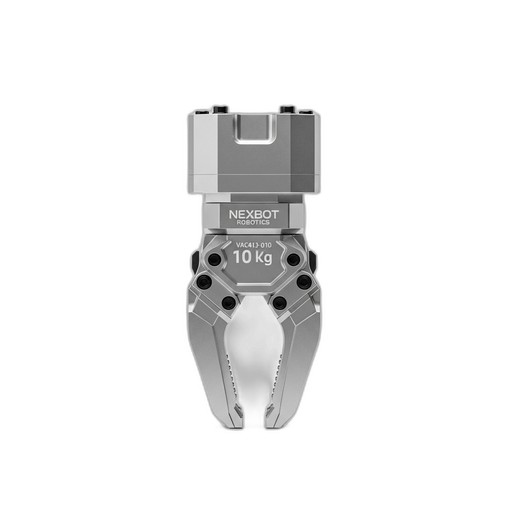
The EOAT is where the robot interacts with the product. For applications involving pick-and-place of flat, non-porous objects, electric vacuum grippers like the NexBot Robotics VAC413-010 are a popular choice due to their integrated design and ease of use. However, their constant interaction with workpieces makes them susceptible to wear and tear. A robust maintenance plan is key.
Daily Visual Inspections
- Vacuum Cups and Seals: The most common point of failure is the vacuum cup itself. Every day, before the start of a shift, perform a quick visual inspection. Look for signs of cracking, tearing, or discoloration. Over time, materials can become stiff and lose their pliability, leading to poor seals and dropped parts. Ensure the sealing edge is clean and free of debris.
- General Cleanliness: Wipe down the gripper housing to remove dust or contaminants that could interfere with its operation or clog the vacuum generator's filter.
Weekly Functional Checks
- Listen for Leaks: During operation, listen for any unusual hissing sounds around the gripper. This is a classic indicator of a vacuum leak, which forces the onboard vacuum generator to work harder, reducing its lifespan and increasing energy consumption.
- Monitor Performance Data: For smart devices with IO-Link connectivity, like the VAC413-010, you have a powerful diagnostic tool at your fingertips. Use your control system to monitor the vacuum levels achieved during a cycle. A gradual decrease in peak vacuum or an increase in the time it takes to achieve vacuum can signal a developing issue, such as a clogged filter or a minor leak. This data allows for predictive maintenance before a catastrophic failure occurs.
Monthly and Quarterly Tasks
- Clean or Replace Filters: Integrated vacuum generators have internal filters to protect the mechanism from ingested debris. Refer to the manufacturer's guidelines for the recommended cleaning or replacement interval. A clogged filter is a primary cause of poor gripper performance.
- Verify Mounting Integrity: Ensure the gripper is securely fastened to the robot arm flange. Vibrations during high-speed movements can loosen bolts over time, leading to positioning errors or, in a worst-case scenario, the EOAT detaching from the arm.
The Unsung Hero: Robust Connectivity
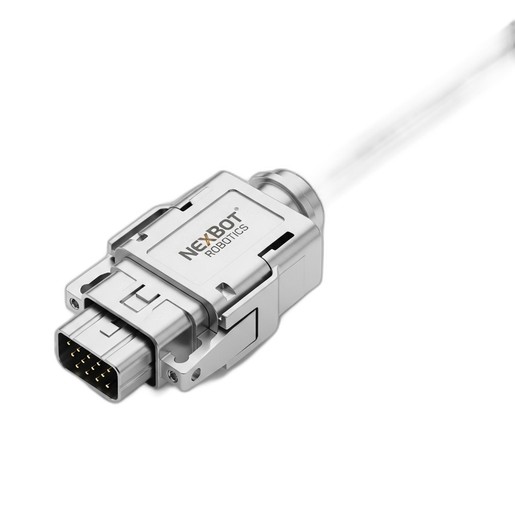
A gripper's advanced diagnostic features are useless without a stable communication link. The physical connection between the EOAT and the robot controller is a critical, yet often overlooked, maintenance checkpoint. Fieldbus connectors, such as the NexBot Robotics NET533-007, are designed for industrial environments but still require periodic attention.
Regular Connector and Cable Inspections
- Check for Physical Damage: Inspect the connector housing for cracks or damage. Ensure the locking mechanism is intact and engages properly. A loose connection can cause intermittent signal loss, which is notoriously difficult to troubleshoot.
- Examine Pins and Contacts: Periodically disconnect the cable (with the system powered down) and inspect the connector pins. Look for any signs of corrosion, dirt, or bent pins. Clean contacts with an appropriate electronics cleaner if necessary.
- Cable Strain Relief: The number one enemy of any industrial cable is improper strain relief. Ensure the cable is not pulled taut, sharply bent, or rubbing against abrasive surfaces as the robot moves through its cycle. The cable dress pack should allow for free movement without putting stress on the connector itself.
Planning for Success: Using Simulation to Enhance Maintenance
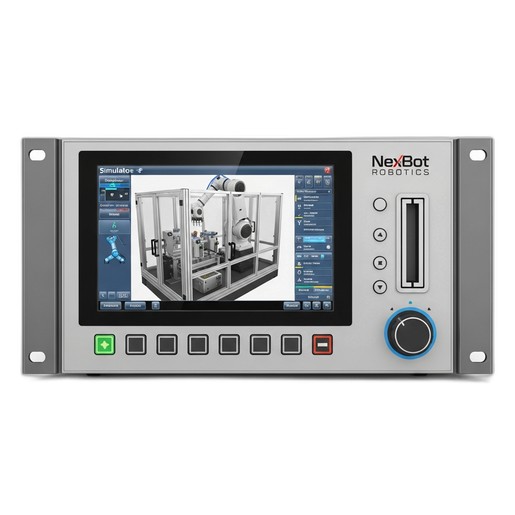
Maintenance isn't just about reacting; it's about proactive planning. This is where tools like the NexBot Robotics 232-010 Simulation Software become invaluable for a maintenance team.
Identify Wear Points Before They Fail
By running a digital twin of your workcell, you can simulate thousands of production cycles in a fraction of the time. This allows you to fast-forward the robot's movements and identify potential problem areas. You can pinpoint exactly where a cable might be subject to excessive twisting or bending, allowing you to optimize the cable dress pack or plan for more frequent inspections of that specific area.
Validate Maintenance Procedures Safely
Need to replace a gripper or a connector? You can first walk through the entire procedure in the simulation software. This ensures technicians are familiar with the process, have the right tools, and understand any potential complications before they touch the physical robot. This drastically reduces the risk of errors and minimizes downtime during the actual maintenance event.
Building Your Maintenance Checklist
To put this all into practice, create a simple, tiered checklist for your workcell:
- Daily:
- Visual inspection of vacuum cups for wear/damage.
- Wipe down EOAT housing.
- Weekly:
- Listen for audible vacuum leaks.
- Check connector seating and locking mechanisms.
- Review key IO-Link diagnostic data (e.g., vacuum level trends).
- Monthly:
- Inspect and clean internal vacuum filters.
- Check cable routing for signs of abrasion or stress.
- Annually/As Needed:
- Perform a thorough inspection of connector pins.
- Use simulation software to review robot paths for new wear-and-tear risks.
- Plan for lifecycle replacement of high-wear components like vacuum cups based on performance data.
By adopting a comprehensive maintenance strategy that covers your EOAT, connectivity, and planning processes, you can transform your maintenance routine from a reactive fire-fight into a proactive, value-adding activity that ensures the long-term health and productivity of your robotic systems.