In any automated facility, the rhythmic motion of industrial robots is the heartbeat of production. When that heartbeat falters, the entire operation suffers. While major robotic sub-assemblies receive regular attention, it's often the smaller, critical components—the sensors and connectors—that are overlooked until they fail. Proactive, component-level maintenance is not just a best practice; it's a strategic approach to maximizing uptime and extending the operational life of your entire robotic system.
This guide provides a practical maintenance checklist for three crucial component categories: high-density connectors, advanced force/torque sensors, and essential safety bumpers. By integrating these simple checks into your routine, you can move from a reactive repair model to a proactive strategy of prevention.
The Foundation of Reliability: Connector Maintenance
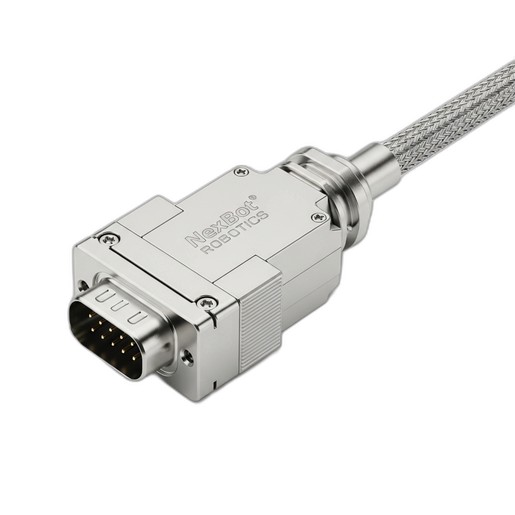
Every signal, command, and piece of feedback data travels through a connector. A loose or corroded connection can lead to intermittent faults that are notoriously difficult to diagnose, causing phantom errors and unpredictable robot behavior. For robust, multi-pin connectors like the NexBot Robotics 532-005 Rectangular Connector, a regular inspection routine is vital.
Key Inspection Points:
- Physical Integrity and Sealing: Start with a visual inspection. Look for cracks, chips, or deformation in the connector housing. For connectors with an IP67 rating, the integrity of the seal is paramount for protecting against dust and moisture ingress. Check that the gasket or seal is pliable and free from nicks or compression set. A compromised seal is a direct path to corrosion and electrical failure.
- Locking Mechanism: A secure connection relies on a functional locking mechanism. Actuate the latches or screws to ensure they engage firmly and without excessive force. A loose or damaged latch can lead to connection issues caused by vibration, a common factor in industrial environments.
- Pin and Contact Health: Disconnect the connector (following proper lock-out/tag-out procedures) and inspect the pins and sockets. Look for any signs of bending, corrosion (discoloration), or debris. Clean contacts ensure low-resistance pathways for power and high-fidelity data transmission, which is critical for protocols like PROFINET.
- Cable Strain Relief: The point where the cable enters the connector backshell is a common point of failure. Ensure the strain relief is tight and the cable is not subject to sharp bends or tension. A damaged cable jacket at this entry point can compromise the entire assembly.
Maintenance Frequency:
- Monthly: Visual inspection of the exterior housing and locking mechanism.
- Quarterly/Semi-Annually: Disconnect and inspect pins and seals, especially in environments with high vibration, temperature cycling, or exposure to fluids.
Maintaining Your Robot's Sense of Touch: Force/Torque Sensors
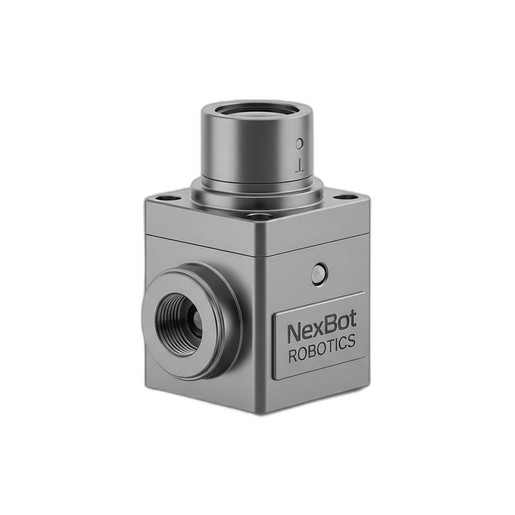
High-precision sensors provide the nuanced feedback required for complex tasks like assembly, polishing, or material handling. A 6-axis force/torque sensor, such as the NexBot Drives 311-006, is a sophisticated instrument that requires care to maintain its accuracy.
Key Maintenance Steps:
- Calibration Verification: While a full recalibration is a complex process often requiring specialized equipment, you can perform periodic verification checks. Using a known weight or a repeatable process, check if the sensor's output is consistent over time. Drifting values can indicate an impending issue or a change in the mechanical setup. Document these baseline readings for future comparison.
- Physical Integrity and Cleaning: The sensor's housing is its primary defense. Regularly clean the exterior with a soft cloth to remove dust, oil, or metal shavings. Although components like the NXB-SNS-311-006 have a robust IP67 rating, preventing buildup ensures proper heat dissipation and prevents debris from interfering with attached tooling. Inspect for any dents or deep scratches that could compromise the housing.
- Cabling and Connections: The high-speed data from a force/torque sensor, often transmitted via protocols like EtherCAT, is only as reliable as its physical connection. Inspect the sensor's connector and cable for any signs of wear, abrasion, or damage. Ensure the connection is secure and protected from physical strain.
Troubleshooting Indicators:
- Noisy or Erratic Data: Fluctuating readings when the robot is static can point to an internal issue or an electrical grounding problem.
- Non-Responsive Axes: If one of the six axes consistently reads zero or a fixed value, it indicates a potential sensor fault.
- Persistent Control Errors: If the robot controller frequently flags errors related to force limits or unexpected contact during normal operation, it warrants an inspection of the sensor and its data.
The First Line of Defense: Collision Sensor & Bumper Care
Safety systems are non-negotiable. Collision sensors and bumpers are often the first line of defense in preventing damage to the robot, end-of-arm tooling, or surrounding equipment. Their reliability must be absolute.
Maintenance for Safety Bumpers:
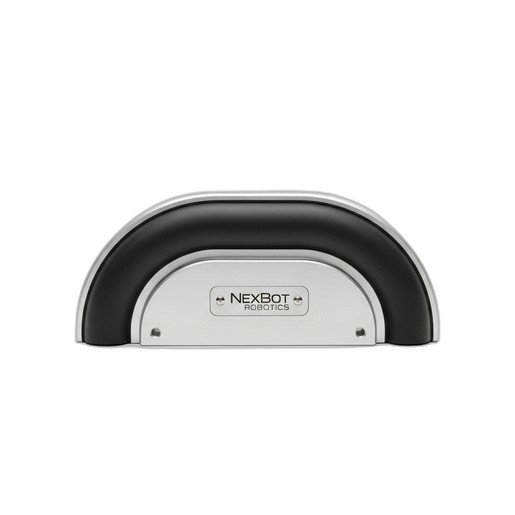
- Surface Inspection: The active surface of a collision bumper, like the NexBot Drives 632-006, must be kept in good condition. Inspect the bumper material for cuts, hardening, or contamination that could prevent it from compressing correctly upon impact. The sensitivity of the internal sensor relies on the predictable deformation of this outer material.
- Functional Testing: As part of a scheduled safety review, perform a controlled, manual test of the bumper (in a safe, low-speed test mode). Gently press on the bumper to confirm that it triggers a stop condition in the robot controller. This verifies the entire safety circuit, from the sensor to the controller's response.
- Diagnostic Monitoring: Modern safety components often provide valuable diagnostic data. The NXB-SNS-632-006, for example, uses the IO-Link protocol. This allows a control system to monitor the sensor's health status continuously. Check the PLC or HMI for any diagnostic flags from the sensor, which can provide an early warning before a complete failure occurs.
When to Replace:
- Any visible damage, such as a deep cut or tear in the bumper material.
- If the material has become hard or brittle due to environmental exposure.
- If the sensor provides a persistent fault signal that cannot be cleared.
- If the functional test fails repeatedly.
Conclusion: A Culture of Prevention
By dedicating a small amount of time to the regular maintenance of these critical components, you can significantly reduce the risk of unexpected and costly downtime. A well-maintained connector ensures clear communication, a clean sensor provides accurate data, and a functional bumper guarantees a safer work environment. Building these checks into your standard preventive maintenance schedule is a small investment that pays massive dividends in reliability, performance, and peace of mind.